TL;DR / Executive Summary
In 2026, SQL Server teams face recurring schema drift, post-release performance regressions, and increasing CI/CD pressure across on-prem and cloud environments such as Azure SQL. Managing these challenges with disconnected tools slows delivery and increases deployment risk.
The practical solution is a full SQL Server IDE that combines query development, performance diagnostics, and controlled schema change workflows in one environment. dbForge Studio for SQL Server fits this role by unifying advanced T-SQL editing, profiling, compare & sync, and automation, helping teams ship database changes faster while reducing production risk and operational overhead.
Table of contents
- Introduction
- What makes a SQL Server IDE worth using in 2026
- Why trust our SQL Server IDE reviews
- List of the best SQL Server IDEs in 2026
- SQL Server IDE comparison table (2026)
- How to choose the best SQL Server IDE
- Final word: Which SQL Server IDE should you use in 2026
Introduction
SQL Server IDEs are no longer just a place to run queries. They sit directly in the delivery path, shaping how quickly teams diagnose issues, apply schema changes, and recover from regressions. But not every SQL Server IDE is built for this level of day-to-day responsibility.
Some tools prioritize administration, others focus on cross-database development, and a smaller group are designed to support the full SQL Server workflow. However, these differences don’t show up in feature lists. They only become apparent when teams hit limitations in their existing IDEs.
This article compares the best SQL Server IDEs in 2026 based on how they perform in real daily work. The focus is on practical depth, trade-offs, and which tools fit specific developer and DBA workflows.
What makes a SQL Server IDE worth using in 2026
A SQL Server IDE is worth using in 2026 if it reduces time spent diagnosing issues, applying changes, and keeping environments aligned. In practical terms, that means a strong T-SQL editor, fast navigation of large schemas, and built-in tooling for performance analysis and controlled schema changes.
These requirements exist because SQL Server teams no longer work against static databases. Production schemas change regularly, deployments are frequent, and performance regressions often appear only after release. As databases grow and environments must stay synchronized, basic editors provide no support for diagnosing regressions or validating schema changes before deployment, turning routine updates into failure-prone operations.
To manage this vulnerability, the best SQL Server IDEs focus on three core capabilities:
- Performance diagnostics: execution plans, query profiling, and regression analysis to identify and resolve slowdowns before they impact production
- Schema and data change control: comparison, synchronization, and refactoring safeguards to apply changes consistently across environments
- Automation support: repeatable scripts and CI-friendly workflows that reduce manual steps and deployment errors
Platform support also matters. Teams looking for a SQL Server IDE for Mac or mixed Windows/macOS environments need either native cross-platform support or a reliable compatibility path.
Why trust our SQL Server IDE reviews
Our SQL Server IDE reviews are based on how tools perform in real, day-to-day SQL Server work, not on feature lists or vendor positioning. Each IDE was tested under realistic conditions: large schemas, stored procedure–heavy codebases, production-scale data volumes, and common failure scenarios like blocking, regressions, and environment drift.
The evaluation also focused on criteria that impact daily effectiveness such as:
- Workflow coverage: ensuring the IDE supports the entire SQL Server workflow, from query development to debugging, schema navigation, and investigating long-running queries.
- SQL Server–specific capabilities: verifying that execution plans, profiling, and diagnostics are truly native features of each Microsoft SQL Server IDE, not generic database tooling.
- Platform practicality: assessing whether the IDE is limited to Windows or offers viable cross-platform support and practical setup paths.
- Product maturity and evolution: confirming that tools stay current with SQL Server updates and modern development practices.
- Role suitability: evaluating whether the IDE meets the needs of both developers and DBAs, supporting tasks from development to schema management and troubleshooting.
The result is a shortlist based purely on operational suitability, highlighting SQL Server IDEs that remain effective under real-world conditions in 2026.
List of the best SQL Server IDEs in 2026
This section highlights the best IDE SQL Server tools in 2026 based on editor quality, SQL Server-specific tooling, schema workflows, automation readiness, and platform reality. You will find that some of the options are full IDEs; while others are strong editors or universal database clients that can work well depending on your needs.
For those looking for a complete, end-to-end SQL Server IDE, dbForge Studio for SQL Server is evaluated as the most comprehensive “single environment” option in this list. This is especially when your day includes performance triage, schema synchronization, and deployment-safe change workflows.
1. dbForge Studio for SQL Server

- Company: Devart
- Platforms: Windows (native), macOS and Linux via compatibility solutions(e.g., virtual machines or CrossOver Wine-based setups)
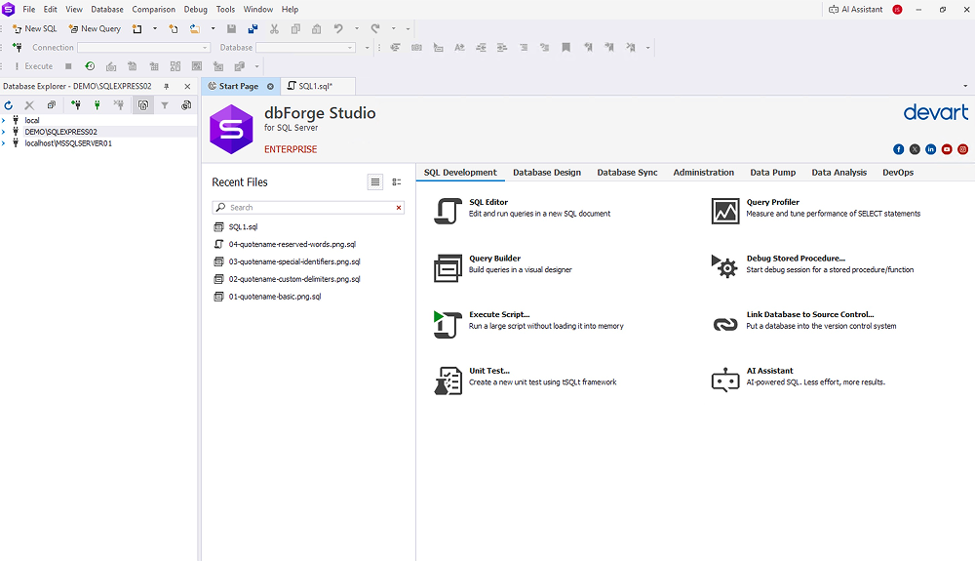
dbForge Studio for SQL Server is a full SQL Server IDE designed for teams that develop, troubleshoot, and deploy database changes on a regular basis. It combines advanced T-SQL development, performance diagnostics, and schema management in a single environment, reducing the need to switch between separate tools.
The IDE is particularly suited to workflows where schema drift, performance regressions, and deployment consistency are recurring concerns. It supports modern SQL Server versions, including SQL Server 2025, and common deployment targets such as Azure SQL and Amazon RDS for SQL Server.
Pros
- Integrated SQL Server workflow: The IDE combines development, diagnostics, and schema synchronization in a single workflow, reducing handoffs and manual steps.
- Strong change control: Schema and data differences are visible before deployment, helping prevent drift across environments.
- Scalable editions: Multiple editions allow teams to scale capabilities as database complexity increases.
Cons
- The best experience is on Windows. Teams evaluating SQL Server IDE Mac options should note that macOS and Linux usage depends on compatibility layers rather than a native client.
Features
- Advanced T-SQL editor with IntelliSense, formatting, and refactoring.
- Query Profiler with execution diagnostics.
- Schema Compare & Sync and Data Compare & Sync.
- Database diagrams and test data generation.
- Source control integration and DevOps automation (by edition).
- Integrated AI Assistant
Price
- Express: $0
- Standard: $229.95 / year
- Professional: $349.95 / year
- Enterprise: $479.95 / year
A free 30-day trial is available via the download page if you need to evaluate the tool before purchase.
2. DataGrip

- Company: JetBrains
- Platforms: Windows, macOS and Linux
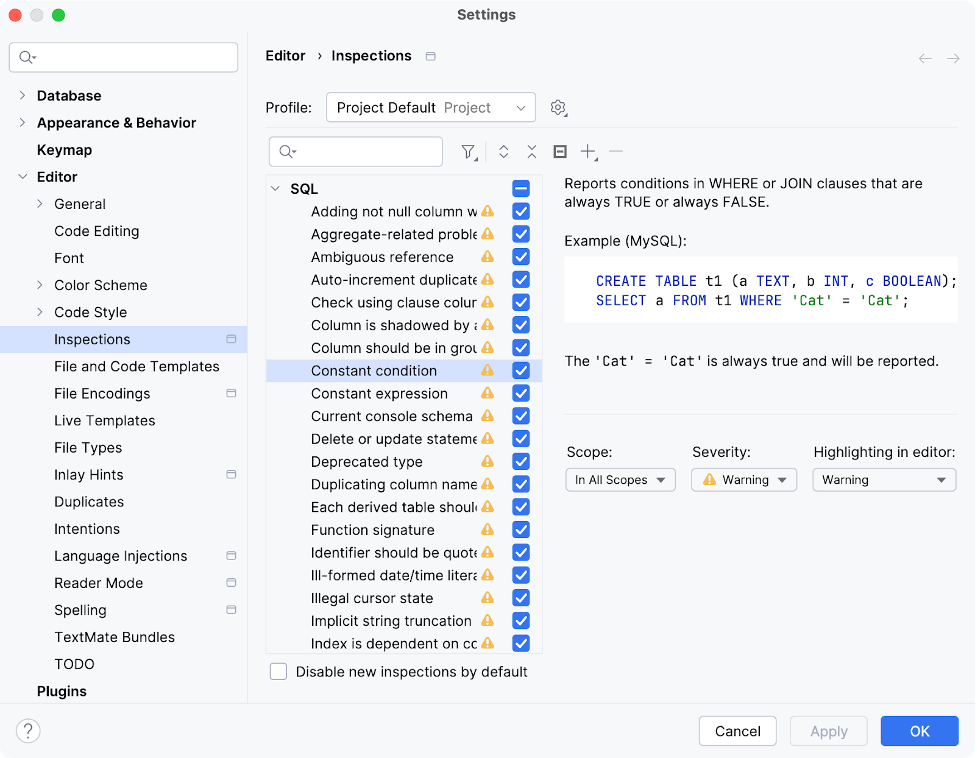
DataGrip is a cross-platform SQL IDE designed for developers who work across multiple database engines and want a consistent environment on Windows, macOS, and Linux. For SQL Server workloads, it provides a capable SQL editor with inspections, schema-aware completion, and reliable database introspection.
The tradeoff is depth. While DataGrip handles query development well, its performance analysis and troubleshooting capabilities are more general-purpose. Tasks such as detailed query profiling, SQL Server–specific diagnostics, and schema synchronization typically require additional tooling when compared to SQL Server–focused IDEs.
Pros
- Provides a consistent, cross-platform SQL development experience across Windows, macOS, and Linux.
- Offers strong editor ergonomics for developers writing SQL across multiple database systems.
Cons
- SQL Server–specific diagnostics and profiling are limited compared to SQL Server–first IDEs
Features
- SQL dialect support, including Microsoft SQL Server
- Smart completion, inspections, and schema-aware editing
Price
- Subscription-based pricing starting at approximately $25.90 per month for commercial use, with a free trial available.
3. Microsoft SQL Server Management Studio (SSMS)

- Company: Microsoft
- Platforms: Windows only
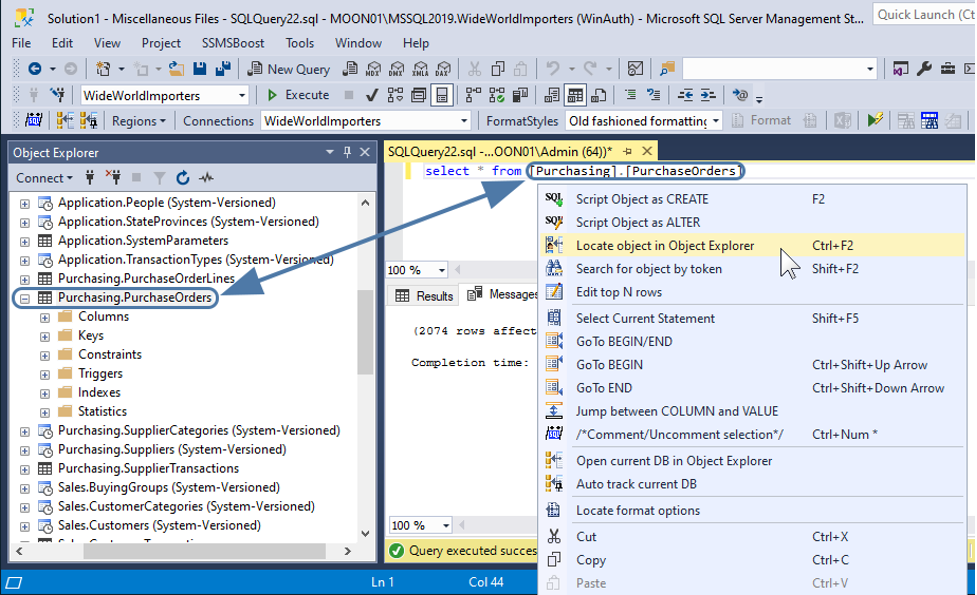
SQL Server Management Studio (SSMS) is the default Microsoft SQL Server IDE for many Windows-based teams. It is the primary environment for security management, maintenance tasks, and core operational troubleshooting.
SSMS continues to receive incremental updates, including features such as GitHub Copilot integration. However, its role has not fundamentally changed. As an MS SQL Server IDE, SSMS remains administration-first rather than a full development or delivery environment. It excels at operating SQL Server but provides limited support for schema comparison, automation, or deployment-oriented workflows.
Pros
- Best-in-class “native” admin experience for SQL Server on Windows.
- Continues to add modern features (e.g., Copilot preview and new indexing options in SSMS 22 release notes).
Cons
- Windows-only, which limits use in mixed OS teams
- Minimal support for schema comparison, automation, and change workflows
Features
- T-SQL editor with execution plan support.
- Core administration and operational management tools.
- Built-in monitoring for day-to-day operations.
- Ongoing updates, including Copilot features.
Price
- Free (Microsoft-provided tool; standard installation and system requirements apply).
4. DBeaver

- Company: DBeaver Corp
- Platforms: Windows, macOS and Linux
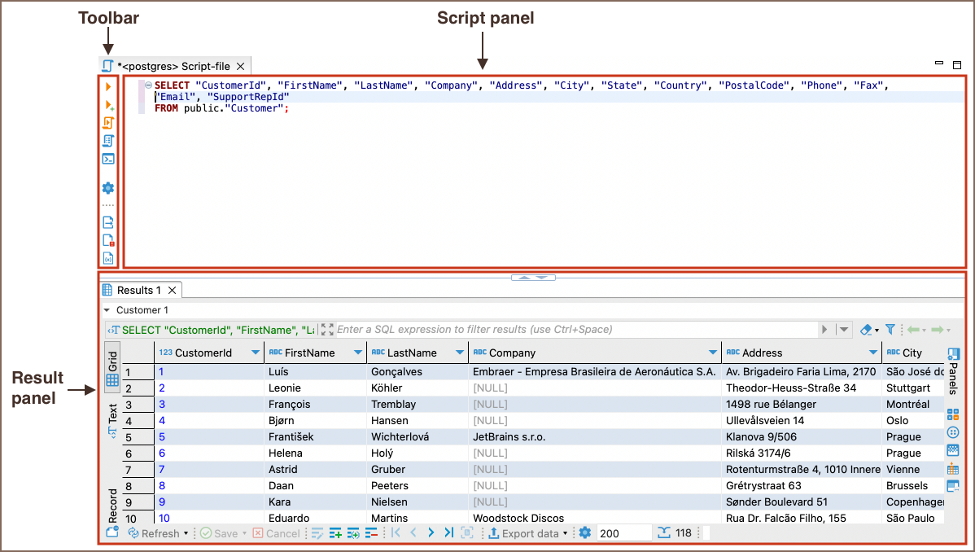
DBeaver is a universal database client designed for teams that work across many database platforms and want a single, cross-platform tool for everyday querying and data access. It runs consistently on Windows, macOS, and Linux and is commonly used in heterogeneous environments where SQL Server is only one of several systems in use.
For SQL Server workloads, DBeaver operates through its driver layer rather than native SQL Server tooling. This makes it reliable for standard querying, data browsing, and basic schema inspection, but less suited to SQL Server–specific tasks such as performance profiling, schema synchronization, or deployment-oriented workflows.
Pros
- Consistent cross-platform experience across Windows, macOS, and Linux.
- Broad database coverage through flexible, driver-based connectivity.
Cons
- Limited SQL Server–specific diagnostics and change management capabilities.
- Advanced workflows typically require additional tools or a dedicated SQL Server IDE.
Features
- SQL Server connectivity via supported drivers.
- Standard SQL editing, data browsing, and schema inspection.
- Community and commercial editions with optional enterprise features.
Price
- Community: Free
- Lite: $11 / month
- Enterprise: $25 / month
To see how these tools stack up side by side, the following table summarizes their strengths and trade-offs.
SQL Server IDE comparison table (2026)
Here is how the leading SQL Server IDEs compare across the criteria that matter most in daily work. The table highlights where each tool provides depth, where it offers partial coverage, and where gaps remain.
| Tool | Best For | Query Editing | Performance Tools | Schema Management | Automation | Platforms | Free Trial |
|---|---|---|---|---|---|---|---|
| dbForge Studio for SQL Server | Professional developers & DBAs | ✓ Advanced completion/formatting | ✓ Query Profiler, diagnostics | ✓ Compare, sync, refactor, design | ✓ CI-ready workflows (by edition) | Windows (compatibility paths for macOS/Linux) | ✓ 30-day |
| DataGrip | Cross-DB developers | ✓ Smart editor, inspections | △ General plan/explain tooling | ✓ Browsing + object DDL | △ Limited SQL Server–specific automation | Windows, macOS, Linux | ✓ |
| SSMS | Administration & baseline management | ✓ Solid T-SQL editor | ✓ Plans + basic monitoring | ✓ Core schema tools | ✕ Minimal built-in automation | Windows | ✕ |
| DBeaver | General-purpose DB users | ✓ Standard SQL editor | △ Generic profiling | ✓ Basic schema tools | △ Limited | Windows, macOS, Linux | ✓ |
Key takeaways:
- Full SQL Server IDEs prioritize performance diagnostics, schema control, and deployment-focused workflows.
- Cross-database tools emphasize portability and editor ergonomics over SQL Server–specific depth.
- Administration-first tools remain essential for operating SQL Server but offer limited support for automation-heavy or change-driven workflows.
With those differences in mind, the next step is choosing the right IDE for your own workflow.
How to choose the best SQL Server IDE
Choosing the right IDE for SQL Server depends on how often you deal with performance issues, schema changes, and deployments. For example, when SQL Server work is frequent and business-critical, the best IDE for SQL Server is usually a full IDE rather than a lightweight editor. That’s because it reduces switching between tools for development, diagnostics, and deployment tasks.
Here are more insights:
- Lightweight editors vs. full IDE: Lightweight editors work well for occasional or ad hoc queries. Teams that ship schema changes regularly benefit from integrated comparison, synchronization, refactoring safety, and scripting.
- Performance analysis capabilities: Execution plans are baseline functionality. Practical profiling and diagnostics are what shorten incident resolution time and separate SQL Server–focused IDEs from general tools.
- Schema and refactoring control: Drift between development, staging, and production remains a common failure point. Built-in schema comparison and synchronization enable controlled change instead of reactive fixes.
- Automation and DevOps readiness: Modern delivery favors repeatable workflows. IDEs that support scripting and CI-friendly processes reduce manual steps and deployment variability.
- Operating system constraints: SSMS is Windows-only. DataGrip and DBeaver provide native cross-platform support, while dbForge is strongest on Windows with documented compatibility paths for other environments.
Final word: Which SQL Server IDE should you use in 2026
The right SQL Server IDE depends on how central SQL Server is to your daily work and delivery responsibilities.
When teams regularly develop queries, troubleshoot performance issues, and manage schema changes across environments, a full SQL Server IDE becomes the most practical option. In this context, dbForge Studio for SQL Server stands out for bringing performance diagnostics and change control into a single, continuous workflow.
By contrast, teams focused primarily on administration and baseline management may find SQL Server Management Studio (SSMS) sufficient, especially in Windows-only environments. Also, developers working across multiple database systems often prioritize portability, making DataGrip a strong cross-platform choice, with DBeaver serving as a reliable general-purpose client for everyday querying across heterogeneous stacks.
Next step: If you’re considering a full SQL Server IDE, the most reliable way to decide is hands-on evaluation. Test it against real work: profile a slow query, compare schemas, and walk through a deployment scenario.
Download dbForge Studio for SQL Server and evaluate it against a real SQL Server workload using the free trial.