Developers today need the best SQL GUI tools to handle far more than just writing queries. Day-to-day work includes reviewing SQL, comparing schemas, tuning performance, automating deployments, and managing database changes. And for many teams, those tasks don’t happen in a single database anymore.
Quest and Enterprise Strategy Group found that 93% of organizations now run multiplatform database environments. That reality raises the bar for tooling. It’s no longer just about editor features, but about how well a tool supports mixed environments.
In this guide, I compare ten SQL GUI tools ranging from full database IDEs to lighter cross-platform clients and show you where they fit.
Summary
- Compare ten tools on verified 2026 pricing and versions.
- See which handles Schema Compare and CLI automation.
- Learn where free editions stop covering teams.
- Leave with a shortlist sized to your team and budget.
Evaluation criteria for SQL GUI tools
We evaluated each tool based on how teams actually use SQL GUIs every day, not by the length of its feature list. The following table shows what we focused on.
| Criterion | What was checked |
|---|---|
| SQL editor | Completion, formatting, validation, snippets, history |
| Database coverage | Native engine support versus generic JDBC fallback |
| Schema tools | Browsing depth, ER diagrams, reverse engineering |
| Performance | Profiling, index diagnostics, lock monitoring |
| Automation and VCS | Git for schemas, CLI jobs, CI/CD deployment, data transfer |
| AI assistance | Built in or bolted on, what it does, what it costs |
| Pricing and team fit | Free tier limits, per-seat maths at five and twenty seats |
Quick comparison table: Best SQL GUI tools for teams
Use this table to shortlist the right SQL GUI based on your team’s database stack, collaboration needs, and daily workflow.
| Tool | Best for | Database coverage | Team fit | Key strengths | Limitations to note |
|---|---|---|---|---|---|
| dbForge Edge | Major relational engines | SQL Server, MySQL, MariaDB, Oracle, PostgreSQL, 30+ cloud | High | Schema and data compare, administration, CLI automation, context-aware AI | Windows-native; macOS and Linux need Wine/CrossOver |
| DBeaver Team / Ultimate | Mixed database teams | JDBC, 100+ engines | High | Desktop and browser access, collaboration, SSO | Advanced features paid-tier; complex role pricing |
| JetBrains DataGrip | Developers, many engines | Multi-database via JDBC | Med-high | Smart editor, query history, VCS, AI agents | Thin on DBA tooling |
| Navicat Premium | Multi-database admin | MySQL, PostgreSQL, MongoDB, SQL Server, Oracle, SQLite, Redis | Med-high | Cross-engine transfer and sync, ER modeling | Per-seat cost climbs fast |
| DbVisualizer | Universal SQL client | Most databases via JDBC | Medium | Identical on every OS, Git for scripts | Little lifecycle depth |
| Aqua Data Studio | Enterprise database IDE | 40+ relational, NoSQL, cloud | Med-high | SQL development plus visual analytics | Higher-cost positioning |
| Toad Data Studio | Air-gapped, regulated | Relational, NoSQL, cloud sources | Med-high | Offline licensing, data compare, AI Insights | Quote-based; AI needs online auth |
| RazorSQL | Cross-platform editor | 40+ databases via JDBC/ODBC | Medium | Query builder, import/export, CLI | Dated UI; no team features |
| TablePlus | Lightweight native GUI | PostgreSQL, MySQL, SQLite, SQL Server, Redis | Medium | Fastest UI here, inline editing, perpetual | Per-device; no shared connections |
| Beekeeper Studio | Open-source SQL client | 20+ engines, NoSQL on paid tiers | Medium | Clean editor, GPLv3 core, Cloud Workspaces | No schema compare or deployment |
10 Best SQL GUI tools for teams in 2026
These ten range from full lifecycle IDEs to lightweight editors, each written to one structure so you can decide which best SQL GUI tool fits your role and budget.
1. dbForge Edge

Best for: Managing SQL Server, MySQL/MariaDB, Oracle, and PostgreSQL from one IDE.
dbForge Edge is a universal database tool that combines four database IDEs into one suite; it is a good choice for teams working with several database platforms. dbForge Edge supports 30+ databases and cloud services with out-of-the-box tools for SQL development, schema comparison, synchronization, automation and AI-assisted coding.
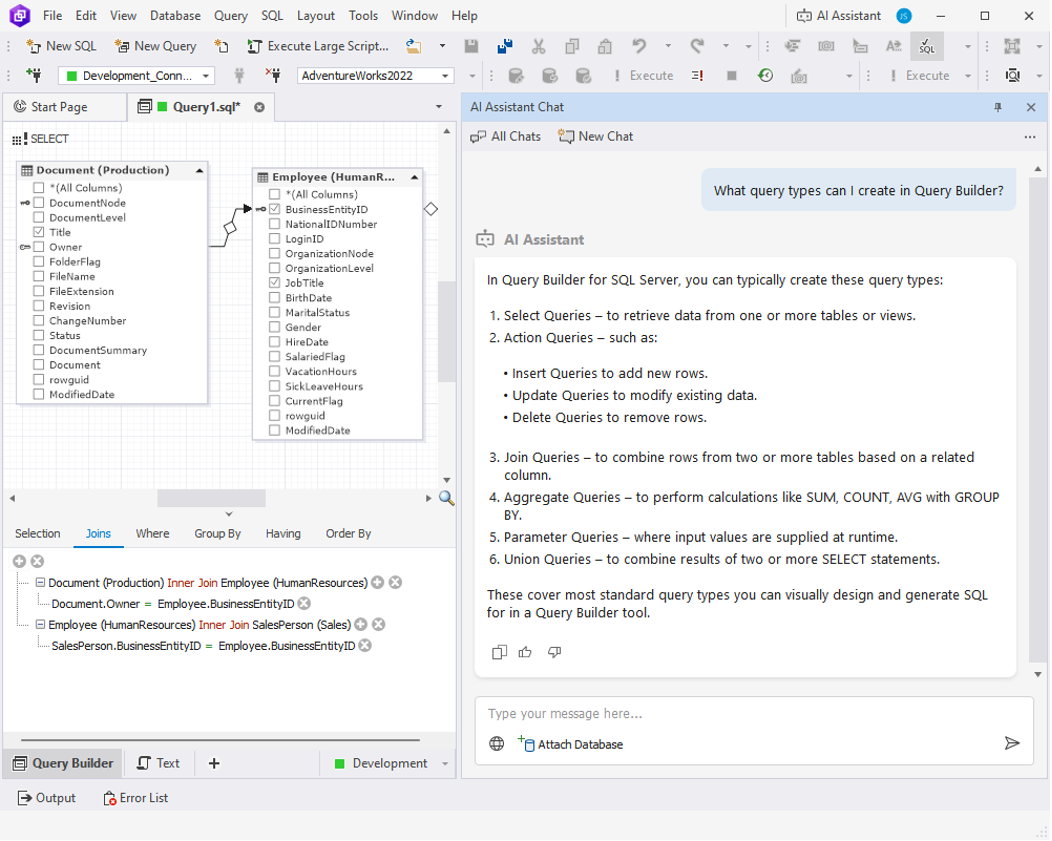
dbForge Edge: The Universal Tool for Database Development and Management
Key features
- SQL development and debugging
- Schema and data comparison
- Deployment scripts and CLI automation
- AI-powered context-aware SQL assistance
- Support for 30+ databases and cloud services
Pros
- Unified solution for all major RDBMSs and a wide range of cloud services
- Powerful schema comparison and synchronization
- Integrated context-aware AI Assistant
Cons
- macOS and Linux require CrossOver or Wine
- English-only interface
Compatibility
- Platforms: Windows (native), macOS and Linux via CrossOver or Wine
- Databases: SQL Server, MySQL, MariaDB, Oracle, PostgreSQL, and 30+ databases and cloud services.
Pricing
From $749.95 per user/year. Includes a 30-day free trial and a free Express edition.
2. DBeaver

Best for: Teams working across multiple databases with desktop and browser access.
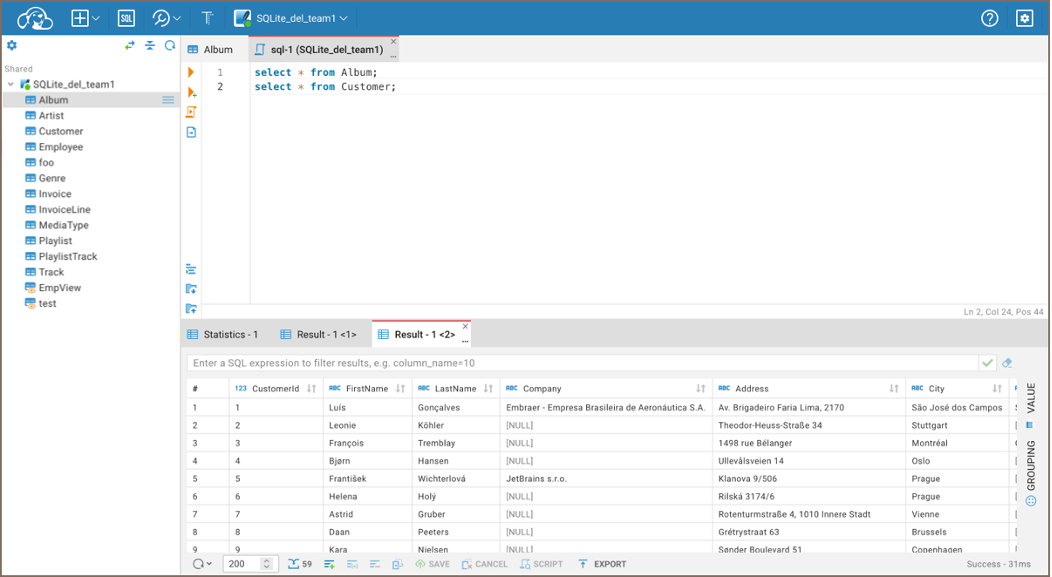
DBeaver supports 100+ databases via JDBC and is one of the best SQL clients out there. The free Community Edition is sufficient for day-to-day database work, and Team Edition adds collaboration, role-based access, and shared connection management. CloudBeaver is an experience in the browser.
Key features
- Supports 100+ databases
- Desktop and browser access with CloudBeaver
- Shared connections and credential management
- Team collaboration and role-based access
- Community Edition available for free
Pros
- Broad database support
- Strong collaboration features for teams
- Free Community Edition
Cons
- Java-based application can use significant memory
- Team Edition pricing varies by user role
Compatibility
- Platforms: Windows, macOS, Linux, and web (CloudBeaver)
- Databases: 100+ databases via JDBC.
Pricing
Community Edition is free. Team Edition (collaboration, RBAC) is priced per role, from $82 to $810/user/year. Lite ($113/user/year) and Ultimate ($510/user/year) are separate editions and don’t include those collaboration features.
3. JetBrains DataGrip

Best for: Developers already using the JetBrains ecosystem.
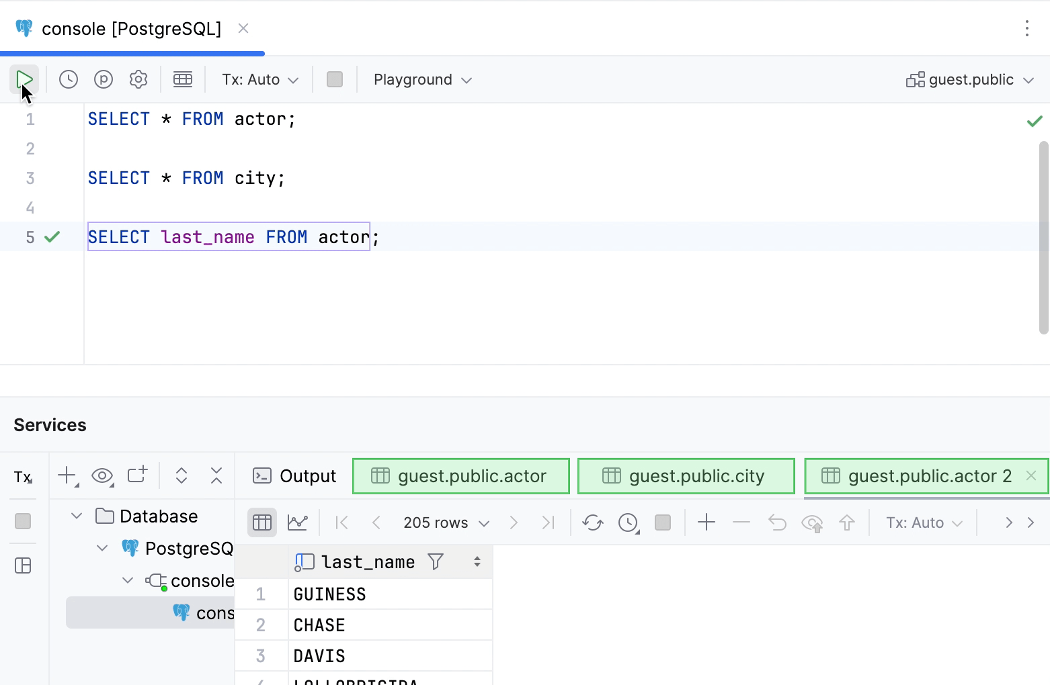
DataGrip is a SQL database IDE instead of a database administration tool. It is known for its intelligent code completion, refactoring tools and query inspections that make it a great choice for developers who are writing and maintaining SQL. Version 2026.1 also added AI agent capabilities to help with database tasks.
Key features
- Smart SQL completion and refactoring
- Cross-schema code analysis
- Version control integration
- AI-powered database assistance
- Supports multiple database platforms
Pros
- Excellent SQL editor with intelligent code assistance
- Built-in version control integration
- Strong productivity features for developers
Cons
- Limited database administration features
- AI features require JetBrains AI credits
Compatibility
- Platforms: Windows, macOS, Linux
- Databases: Multiple relational databases via JDBC.
Pricing
You can use it free for non-commercial work. Paid subscriptions start at $10.90/month, or $29.90/month if you want the All Products Pack.
4. Navicat Premium

Best for: Cross-database administration and data migration.
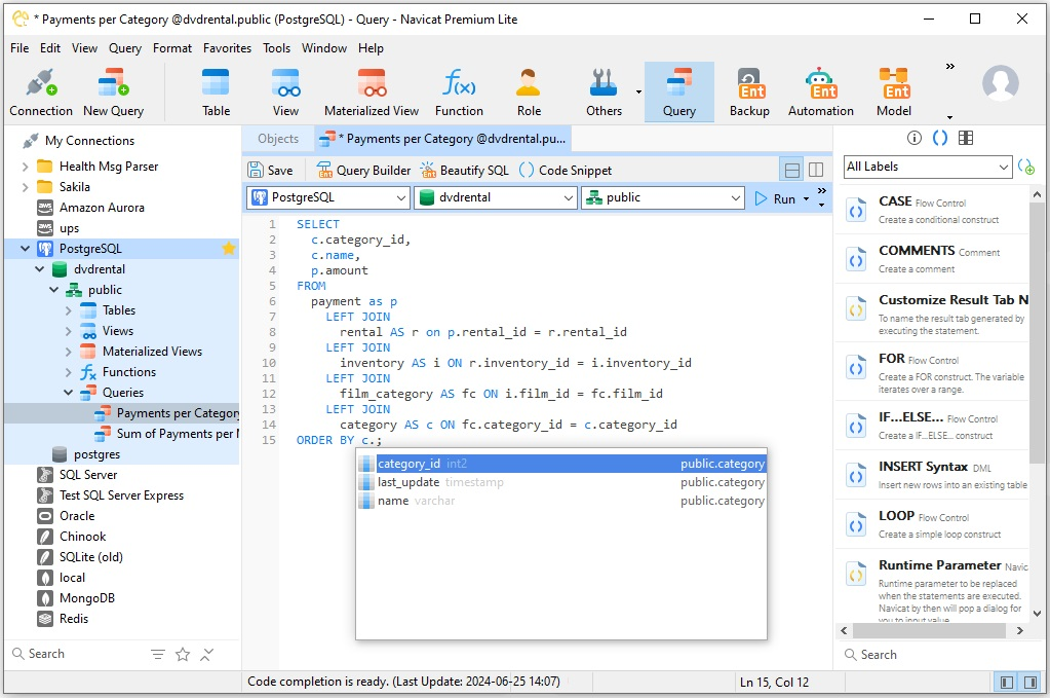
Navicat Premium provides support for multiple database platforms with a single interface, including MySQL, PostgreSQL, SQL Server, Oracle, MongoDB, Redis, Snowflake and SQLite. This is particularly useful when your team is frequently migrating data from one database system to another or when you’re working with a mix of environments.
Key features
- Multi-database support
- Data transfer and structure synchronization
- Backup and task scheduling
- ER modeling and database design
- Navicat Cloud for shared connections
Pros
- Excellent cross-database migration tools
- Built-in scheduling and backup automation
- Supports a wide range of databases
Cons
- Per-user licensing can become expensive
- Lite edition excludes modeling and automation features
Compatibility
- Platforms: Windows, macOS, Linux
- Databases: MySQL, MariaDB, PostgreSQL, SQL Server, Oracle, SQLite, MongoDB, Redis, Snowflake, and others.
Pricing
You pay around $79.99/month or $799.99/year to get started. A perpetual licence is roughly $1,599 per user, with team pricing available.
5. DbVisualizer

Best for: Teams that need the same SQL client across Windows, macOS, and Linux.
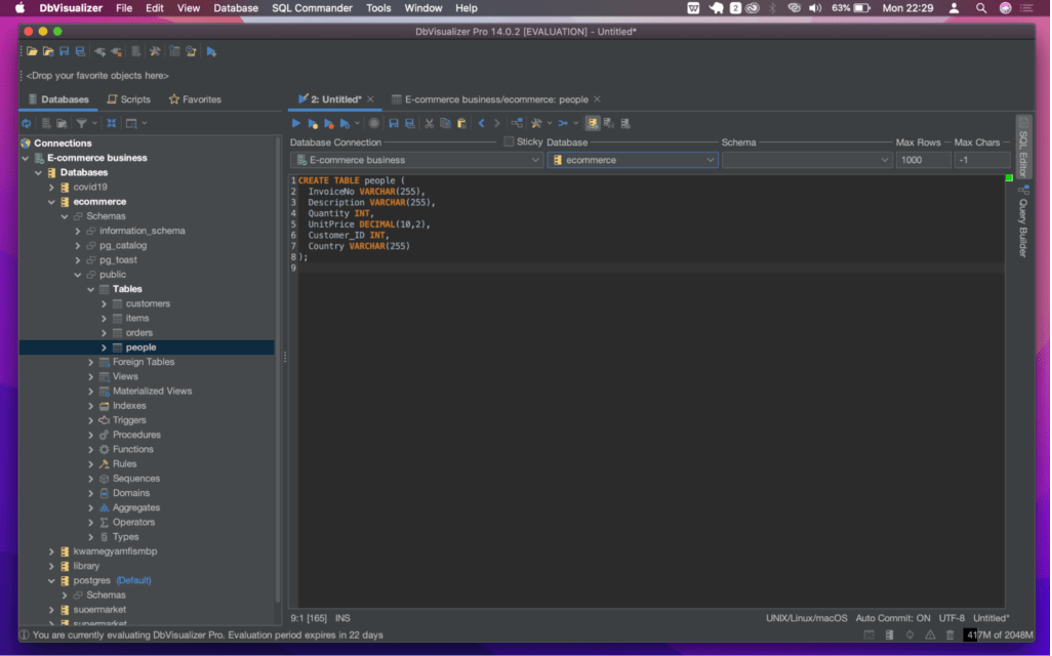
DbVisualizer is a cross-platform SQL client that delivers the same experience on Windows, macOS, and Linux. It supports a wide range of databases through JDBC and combines SQL development with features like Git integration and AI-assisted query writing.
Key features
- Cross-platform SQL client
- Supports most databases via JDBC
- Built-in Git integration for SQL scripts
- AI Assistant for SQL development
- Free and Pro editions
Pros
- Consistent interface across all operating systems
- Built-in Git support for managing SQL scripts
- Free edition is suitable for everyday use
Cons
- No schema deployment or CI/CD tools
- Performance can slow with very large result sets
Compatibility
- Platforms: Windows, macOS, Linux
- Databases: Most relational databases via JDBC.
Pricing
The Pro edition starts at $199 per user for the first year, with renewals at $89 per year. A free edition is also available.
6. Aqua Data Studio

Best for: Teams where developers, analysts, and DBAs use the same database tool.
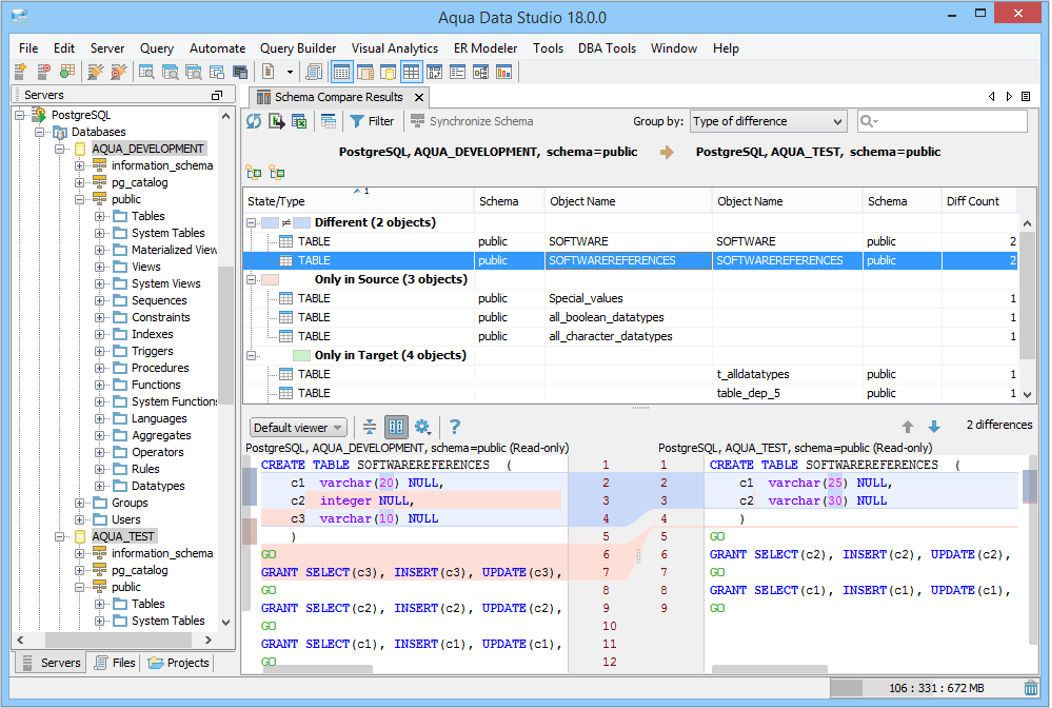
Aqua Data Studio is a multi-database IDE that combines SQL development with integrated analytics and reporting tools. It supports more than 40 database platforms and is a good fit for teams that need to write queries, analyze data and manage databases from one application.
Key features
- Supports 40+ database platforms
- Built-in dashboards, pivot tables, and charting
- Database administration and SQL development
- Natural-language querying with AI
- Visual query and data analysis tools
Pros
- Strong analytics and reporting features
- Wide database support
- Combines development and administration tools
Cons
- Task scheduling requires the Ultimate edition
- Interface can feel busy for new users
Compatibility
- Platforms: Windows, macOS, Linux
- Databases: 40+ relational, NoSQL, and cloud databases.
Pricing
Standard starts at $499 per user/year, while Ultimate costs $699 per user/year. Enterprise licensing is available on request.
7. Toad Data Studio

Best for: Regulated, secure, and air-gapped environments.
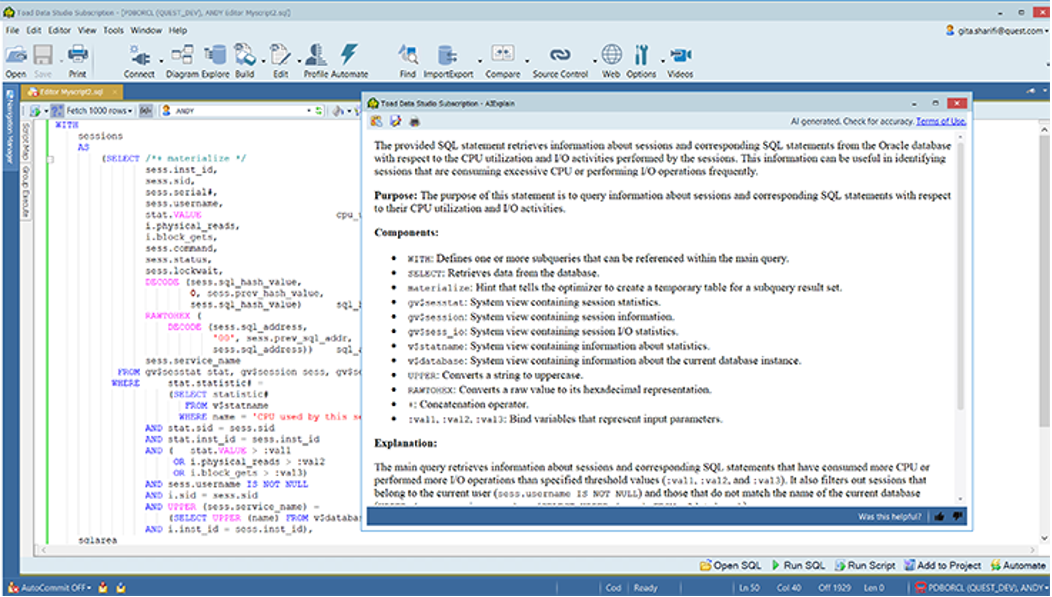
Toad Data Studio is built for organizations that need flexible deployment options such as fully offline environments. It supports database development and administration, and data comparison with licensing options for connected, hybrid, and air-gapped networks.
Key features
- Supports online and offline deployments
- Schema and data comparison
- AI Insights for SQL assistance
- Database administration and reporting
- Flexible subscription and perpetual licensing
Pros
- Well suited for secure and disconnected environments
- Strong schema and data comparison tools
- AI Insights explains and optimizes SQL
Cons
- No public pricing
- AI features still require online authentication
Compatibility
- Platforms: Windows, macOS
- Databases: Relational databases, NoSQL databases, and cloud data sources.
Pricing
Pricing is available by quote only, with subscription and perpetual licensing options. A 30-day free trial is available.
8. RazorSQL
Best for: Teams that need broad database support at a one-time cost.
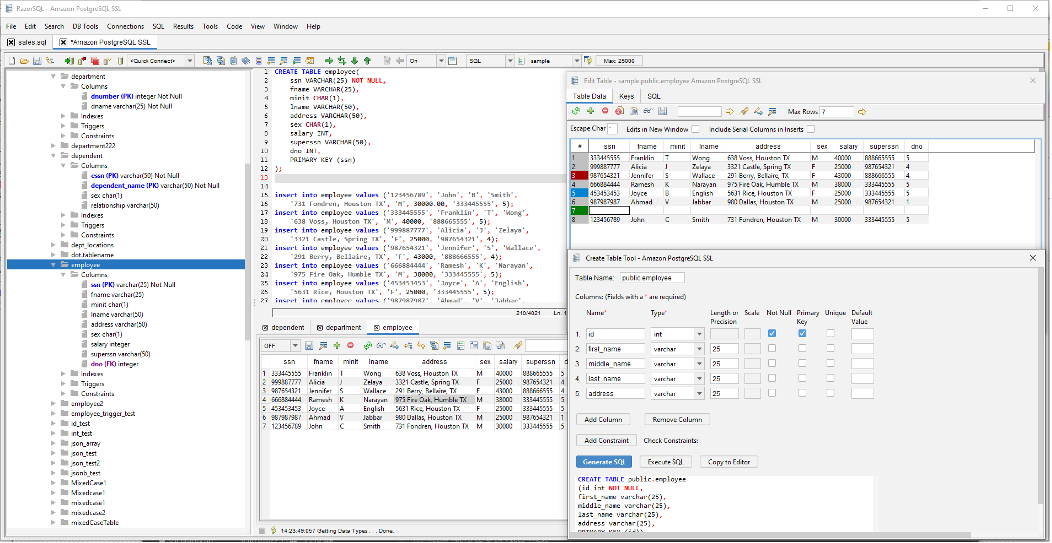
RazorSQL is a small SQL editor that supports over 40 databases with native drivers, JDBC, and ODBC. The interface is a little old school but it has good database support as well as a perpetual license, so it is a good choice for developers who don’t need advanced collaboration.
Key features
- Supports 40+ databases
- Native, JDBC, and ODBC connections
- SQL editor and query builder
- Import and export tools
- Command-line support
Pros
- Wide database compatibility
- Perpetual license works across multiple machines
- Affordable compared to many commercial SQL tools
Cons
- Interface feels outdated
- No shared connections or team collaboration features
Compatibility
- Platforms: Windows, macOS, Linux, Solaris
- Databases: 40+ relational and NoSQL databases via native drivers, JDBC, and ODBC.
Pricing
Perpetual licenses start at $129 per user, with discounted pricing for larger teams and optional extended maintenance and support.
9. TablePlus

Best for: Solo developers and small teams looking for a fast, lightweight SQL client.
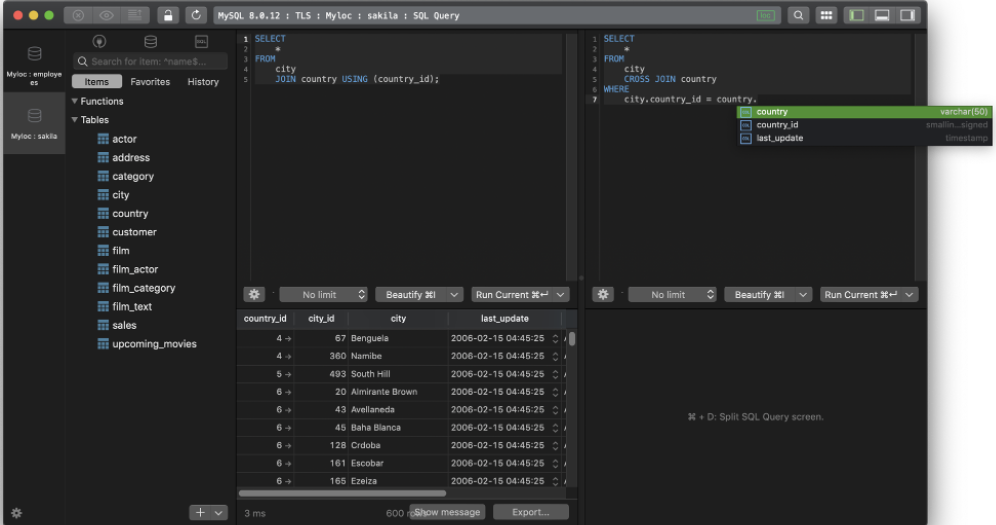
TablePlus is a native GUI database client that feels fast from the start. It supports more than 20 databases and is well suited to developers who mainly spend their time writing queries and working with data.
Key features
- Native application for Windows, macOS, and Linux
- Supports 20+ databases
- Fast SQL editor and data grid
- Inline data editing with pending change review
- Simple, clean interface
Pros
- Fast startup and responsive interface
- Easy to review changes before committing
- Clean, intuitive design
Cons
- Per-device licensing can increase costs
- No shared connections or synced query history
Compatibility
- Platforms: Windows, macOS, Linux
- Databases: PostgreSQL, MySQL, MariaDB, SQL Server, SQLite, Redis, and 20+ database engines.
Pricing
Basic costs $99 per device (one-time), while the Team plan starts at $79 per seat (minimum three seats). A free edition is available, limited to 2 open tabs, 2 open windows, and 2 advanced filters (filters are not available on the free TablePlus Windows) at a time.
10. Beekeeper Studio

Best for: Teams looking for an open-source SQL client with optional collaboration features.
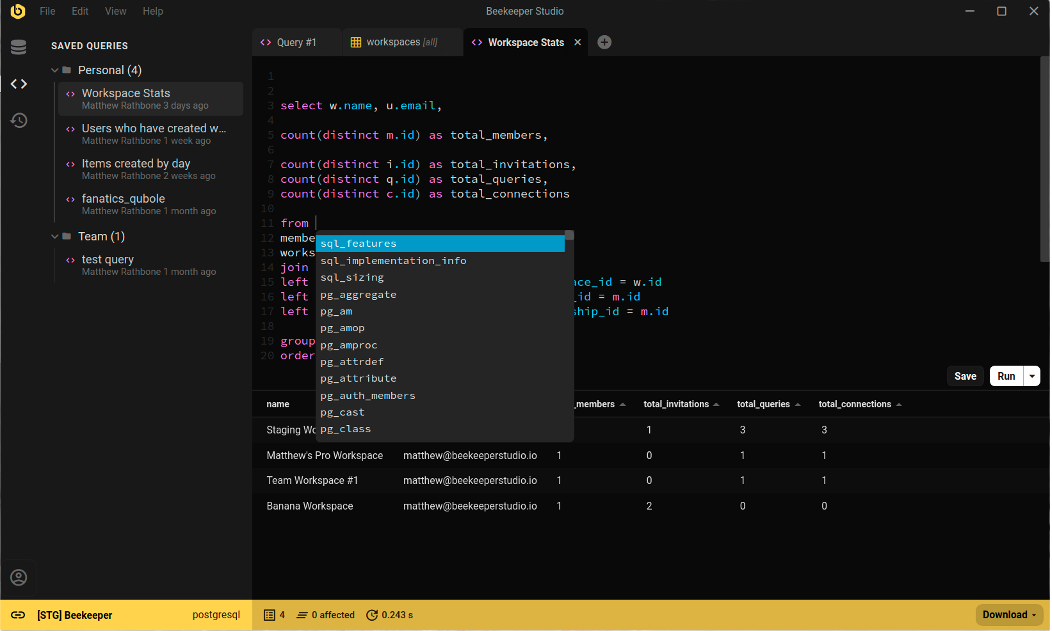
Beekeeper Studio is a free, open source SQL client with paid plans for teams who require collaboration features. It supports more than 20 databases and has a clean, modern interface. It’s a popular choice for developers looking for a lightweight alternative to larger database IDEs.
Key features
- Free Community Edition
- Supports 20+ databases
- Clean, modern interface
- Cloud Workspaces for collaboration
- Available on Windows, macOS, and Linux
Pros
- Free edition with unlimited connections
- Consistent experience across all supported platforms
- Simple, easy-to-use interface
Cons
- No schema comparison or deployment tools
- SSO and air-gapped support require the Business plan
Compatibility
- Platforms: Windows, macOS, Linux (including Apple Silicon)
- Databases: 20+ relational databases, with additional database support in paid editions.
Pricing
A free Community Edition is available. Paid plans start at $9/user/month (Indie), $14/user/month (Professional), and $18/user/month (Business), billed annually.
How to choose the best SQL GUI for your team
The best SQL GUI for teams depends on your database stack, daily workflow, operating system, and budget. Here are the key things to consider before choosing a tool.
Choose by database stack
If your team is using a single database engine, a dedicated tool will usually have the most features. In mixed environments, having a SQL GUI that can handle multiple databases under one interface can save time and reduce the learning curve.
Compare SQL development features
Ignore syntax highlighting. Intelligent code completion, query history, SQL formatting, AI assistance are some of the features that can make day-to-day development faster, and more consistent.
Check schema management tools
If your team frequently changes database structures look for schema comparison, synchronization, ER diagrams and deployment scripts. These features make it easier to review and manage changes to your database.
Evaluate administration features
Developers and DBAs often need different capabilities. If you’ll be managing production databases, look for backup tools, user management, session monitoring, and performance diagnostics.
Review automation
If your team releases frequently, look for command line tools, scripting, source control integration and CI/CD support. Automating repetitive tasks decreases manual effort and mistakes in deployment.
Compare pricing
The free versions are generally sufficient for a single developer, but if your team requires collaboration, SSO, scheduling, deployment tools, etc., you’ll probably need to pay for a plan. Don’t just compare the price of the entry level, compare prices based on your real team size.
Conclusion
The best SQL GUI is the one that fits your team’s work. If you need to work with multiple database platforms, dbForge Edge has one of the most complete feature sets. DBeaver is great for mixed database environments . DataGrip is best for SQL development . Navicat Premium, DbVisualizer, Aqua Data Studio, Toad Data Studio, RazorSQL, TablePlus and Beekeeper Studio all serve different priorities ranging from admin and analysis to lightweight development and open-source flexibility.
Focus on the features you will use on a day to day basis, not on having the longest list of features. The right SQL GUI will make writing SQL, managing schemas, and working across your databases faster, simpler and more reliable.
Download dbForge Edge and whether it suits the way your team works with a free trial.
FAQ
What is the difference between a SQL GUI and a database IDE?
A SQL GUI helps you connect to databases, write queries, and manage data. A database IDE goes further with features like schema comparison, debugging, source control, database design, and deployment automation.
Which SQL GUI is best for SQL Server, MySQL, Oracle, and PostgreSQL?
If you work across all four databases, dbForge Edge offers the most complete feature set. DBeaver and DataGrip also support all four, making them good options for mixed database environments.
Which SQL GUI tools include AI features?
Many of the top SQL GUI tools now come with AI assistance. dbForge Edge has AI for SQL generation and optimization, DataGrip has AI agents, Toad Data Studio has AI Insights and Beekeeper Studio has an AI Shell.
What is the best free SQL GUI?
DBeaver Community is one of the best free SQL GUIs with a support for wide range of databases. Beekeeper Studio Community has a cleaner interface and dbForge Edge has a free Express edition with the core development features.