The best SQL development tools today do far more than help you write SQL. They support every stage of the development lifecycle, helping teams write, review, test, and deploy database code more efficiently. This matters because modern database teams move fast. Nearly a third now deploy database changes to production within a day, leaving little room for slow, manual workflows.
To help you achieve that level of speed while maintaining consistent development practices, this guide compares six SQL development tools for SQL Server. We evaluate everything from T-SQL editing and query diagnostics to schema comparison, testing, and DevOps automation.
Summary block
- Compare six toolkits on coding depth, query review, testing, and DevOps support.
- Shortlist fast with a side-by-side comparison table.
- Match tools to workflows: query writing, CI/CD, or DBA tuning.
- Learn when free SSMS suffices and when paid tooling pays off.
Table of contents
- Evaluation criteria for SQL development tools
- Quick comparison table: Best SQL development tools for complex queries
- 6 Best SQL development tools for complex query development
- How to choose the best SQL development tool for complex queries
- Conclusion
- FAQ
Evaluation criteria for SQL development tools
We scored every tool on how well it supports complex query development, not generic database access. Each criterion maps to daily T-SQL work.
| Evaluation criterion | What we looked for |
|---|---|
| SQL editor | T-SQL IntelliSense, syntax highlighting, formatting, snippets, and code navigation. |
| Query execution | Ease of running queries, managing sessions, and working with results. |
| Performance analysis | Execution plans, query profiling, and built-in optimization tools. |
| Database development | Support for stored procedures, functions, triggers, and other programmable objects. |
| Object navigation | Browsing schemas, searching objects, and understanding database structure. |
| Source control | Integration with Git, Azure DevOps, and version control workflows. |
| Schema & data comparison | Comparing, synchronizing, and deploying database changes. |
| Testing | Test data generation, SQL unit testing, and validation capabilities. |
| Automation & DevOps | Command-line tools, CI/CD integration, scripting, and deployment automation. |
| Platform support | Compatibility with SQL Server, Azure SQL, and SSMS where applicable. |
| Pricing & licensing | Cost, licensing model, free editions, and trial availability. |
Free and commercial SQL database development tools face the same bar: any gap becomes a manual step, and manual steps break complex queries.
Quick comparison table: Best SQL development tools for complex queries
Use this SQL development tools comparison to shortlist by coding depth, SSMS integration, query review features, and DevOps support. dbForge SQL Tools leads as the best full-featured SQL development solution for professional database development and administration.
| Tool | SQL Coding | Query Review / Diagnostics | Schema Compare | Data Compare | Source Control | Testing | DevOps / CI/CD | SSMS Integration |
|---|---|---|---|---|---|---|---|---|
| dbForge SQL Tools | Yes | Yes | Yes | Yes | Yes | Yes | Yes | Yes |
| SQL Server Management Studio | Basic | Yes | Yes (preview) | No | Limited | Limited | No | Native tool |
| Redgate SQL Toolbelt Essentials | Yes | Yes | Yes | Yes | Yes | Yes | Yes | Yes |
| ApexSQL DevOps Toolkit for SQL Server | Limited / tool-dependent | Limited | Yes | Yes | Yes | Limited / verify | Yes | Tool-dependent |
| IDERA SQL Management Suite | Limited | Yes | Limited / tool-dependent | Limited / tool-dependent | Limited / verify | Limited / verify | Limited / verify | Tool-dependent |
| IDERA SQL Toolbox | Limited | Yes / tool-dependent | Limited / verify | Limited / verify | Limited / verify | Limited / verify | Limited / verify | Tool-dependent |
6 Best SQL development tools for complex query development
The top SQL development tools below serve different needs: daily query writing, SSMS-based productivity, database DevOps, and DBA diagnostics that support tuning. Each review follows the same structure.
1. dbForge SQL Tools

Best for: SSMS-based SQL Server development and complex query workflows
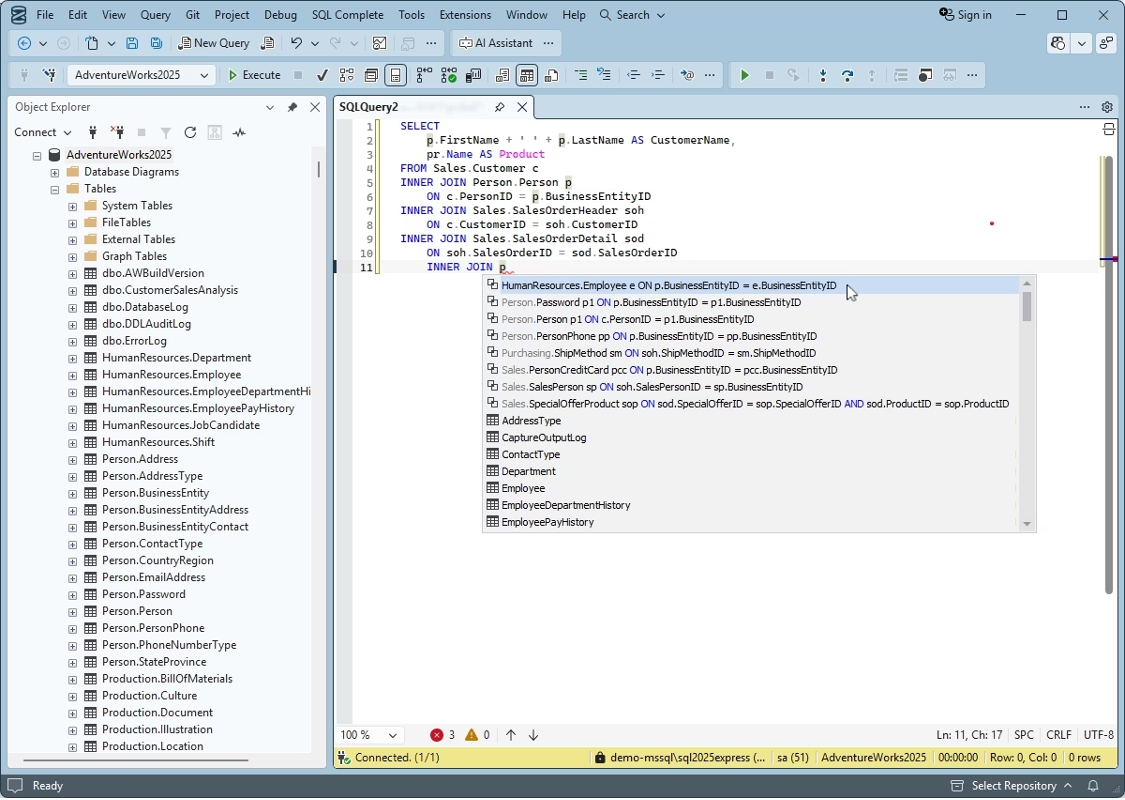
dbForge SQL Tools brings together Devart’s SQL Server development tools into a single toolkit that extends SQL Server Management Studio. The tools work together inside the familiar SSMS environment, supporting everything from coding and code review to testing and deployment. Released in June 2026, version 2026.1 further expands those capabilities while preserving the workflow teams already know.
Features
- IntelliSense, code formatting, snippets, and SQL refactoring.
- Schema and data comparison with deployment script generation.
- Source control, unit testing, and test data generation.
- Query profiling, documentation, and DevOps automation.
Pros
- Extends SSMS with faster coding, navigation, and refactoring tools.
- Simplifies database changes with schema comparison and source control.
- Supports testing, query analysis, and automated deployments.
- Covers the full SQL development lifecycle inside SSMS.
Cons
- Windows-first (macOS and Linux require CrossOver or Wine).
- Full toolkit requires a paid license after the 30-day trial.
- Features are split across separate tools.
Pricing: Starts from $469.95 per year, with a perpetual license option also available. A free 30-day trial covers the full bundle.
Compatibility: Windows-native; integrates with SSMS and Visual Studio.
2. SQL Server Management Studio

Best for: Developers who want Microsoft’s free, official query environment
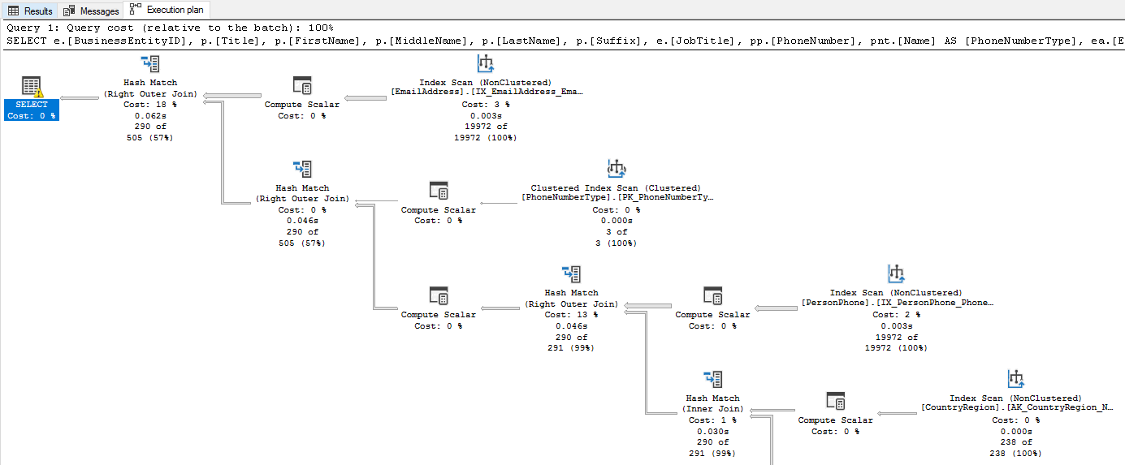
SQL Server Management Studio (SSMS) is where most SQL Server development begins, and it’s still the only fully featured Microsoft IDE available at no cost. Version 21 rebuilt SSMS on a 64-bit Visual Studio 2022 shell, brought GitHub Copilot out of preview, added Microsoft Fabric connectivity, and introduced an early schema comparison feature. While many third-party tools extend its capabilities, SSMS remains one of the go-to environments for writing, testing, and analyzing SQL queries.
Features
- T-SQL editing with IntelliSense and direct query execution.
- Graphical execution plans, live query statistics, and Query Store for tracking down what is slow.
- Object Explorer, stored procedure management, and Always On configuration.
- GitHub Copilot as a shipped feature, with schema comparison and SQL formatting still in preview.
Pros
- Free for everyone, from a weekend project to an enterprise floor.
- The execution-plan and diagnostics views are the best you will find without paying.
- New SQL Server capabilities tend to show up here first.
Cons
- Completion is basic, refactoring is missing, and there are few reusable snippets.
- No test data generation, unit testing, or documentation of its own.
- Schema source control and real deployment automation both mean reaching for outside tools.
Pricing: Free.
Compatibility: Windows only, now 64-bit with native Arm64 support.
3. Redgate SQL Toolbelt Essentials

Best for: Teams that want a proven standard for T-SQL coding and delivery
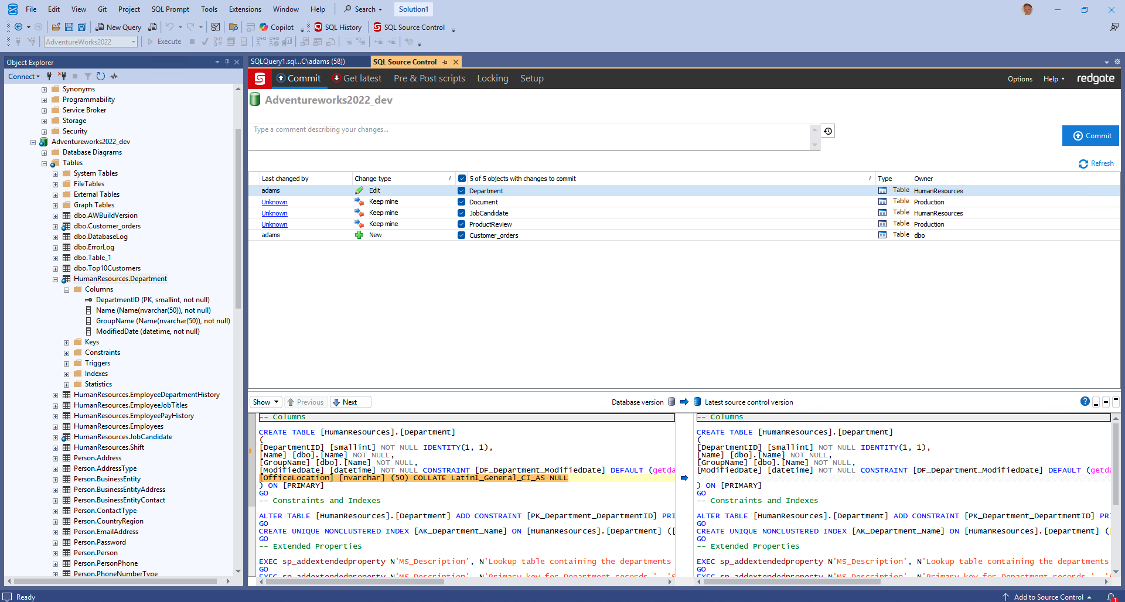
Redgate has been building SQL Server tools for years, and SQL Toolbelt Essentials combines eleven of them into a single subscription. SQL Prompt is the centerpiece, helping developers write and refactor SQL more efficiently, while the rest of the suite supports version control and database change management.
Features
- SQL Prompt for completion, formatting, and code analysis.
- Schema and data comparison that generate deployment scripts.
- SQL Source Control with a full history behind every change.
- SQL Test built on tSQLt, plus test data generation and documentation.
Pros
- SQL Prompt is still the completion tool rivals get measured against.
- Comparison engines with years of production mileage behind them.
- Good at holding an entire team to one coding and deployment standard.
Cons
- At roughly $1,410 per user a year for one to four seats, it runs close to three times the cost of dbForge Standard.
- Ongoing monitoring lives in Redgate Monitor, which is a separate purchase.
- A major SSMS upgrade usually means reinstalling everything.
Pricing: Subscription pricing opens at $1,410 per user per year for one to four seats, with discounts as the seat count grows.
Compatibility: Windows, with SSMS and Visual Studio integration.
4. ApexSQL DevOps Toolkit for SQL Server

Best for: Getting complex SQL changes through a CI/CD pipeline.
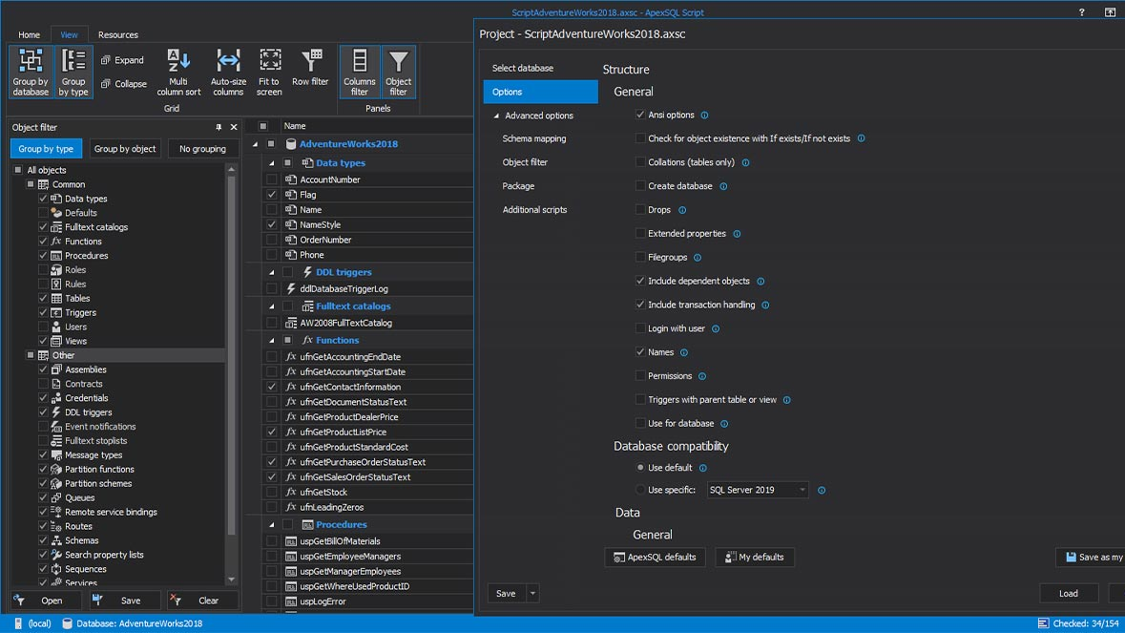
Now part of Quest, ApexSQL DevOps Toolkit is built around database delivery rather than SQL editing. It connects ApexSQL’s tools with CI/CD pipelines and command-line automation, making it easier to build, validate, and deploy SQL Server changes. Think of it as the infrastructure that carries a reviewed change from commit to production.
Features
- CI/CD integration for build, test, and deploy, all runnable unattended from the command line.
- Automated code review with more than a hundred built-in rules and room for your own in C# or VB.NET.
- tSQLt unit testing and test data generation.
- Source control that works with Git, SVN, and the usual systems.
Pros
- Automation and code-review depth are the real draw.
- Everything can run headless, with no GUI to babysit.
- Rules and pipeline steps are highly customizable.
Cons
- What you can do depends on which underlying ApexSQL tools you have licensed.
- Updates have come slowly since the Quest acquisition, so check the roadmap first.
- Individual pipeline steps still lean on separate tool licenses.
Pricing: Subscription start at $1,359 per user per year.
Compatibility: Windows, with SSMS and Visual Studio integration, command-line and PowerShell control, and CI/CD pipeline hooks.
5. IDERA SQL Management Suite

Best for: Developers whose work is driven by DBA-side diagnostics and tuning.
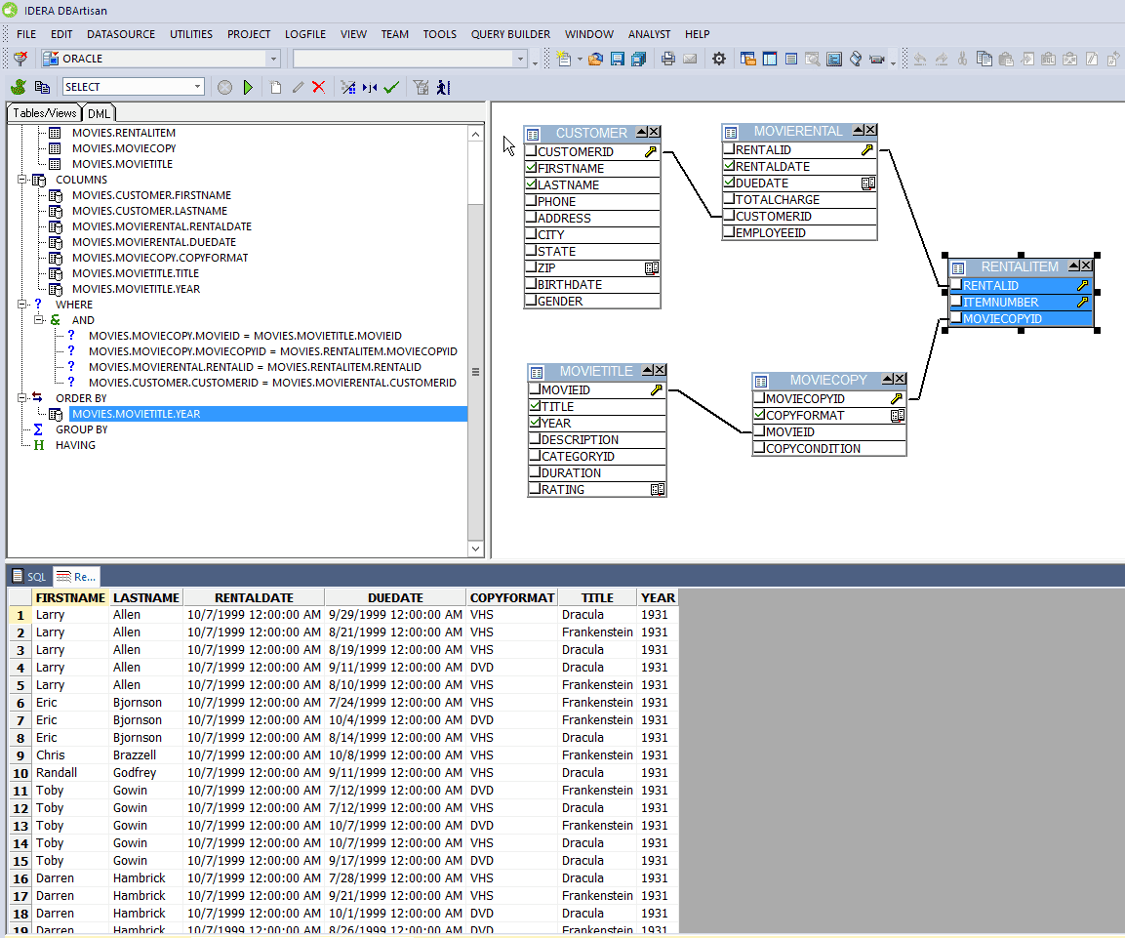
IDERA’s Management Suite is squarely an operations bundle: five products led by SQL Diagnostic Manager (Pro edition) alongside compliance, security, backup, and defrag tools, but it earns a spot here for one reason. When a query is dragging, its diagnostics tell you which statement is to blame and why, which is exactly the read a developer wants before rewriting anything.
Features
- Performance monitoring with predictive alerts and wait-state analysis.
- Query-level diagnostics that feed straight into tuning decisions.
- Compliance auditing and security review.
- Centralized backup, fast recovery, and index defragmentation.
Pros
- Serious diagnostic depth, even across sprawling estates.
- Solid compliance and audit coverage.
- Scales to hundreds of monitored instances.
Cons
- Nothing for actually writing SQL, so no editor, completion, comparison, or source control.
- Per-instance pricing climbs quickly on large environments.
- Each product has its own console, which adds overhead.
Pricing: Cost $2,517.60 paid per instance. Also includes first year maintenance.
Compatibility: Windows, covering on-premises, virtual, and cloud instances.
6. IDERA SQL Toolbox
Best for: A lighter set of DBA utilities with query-tuning advice.
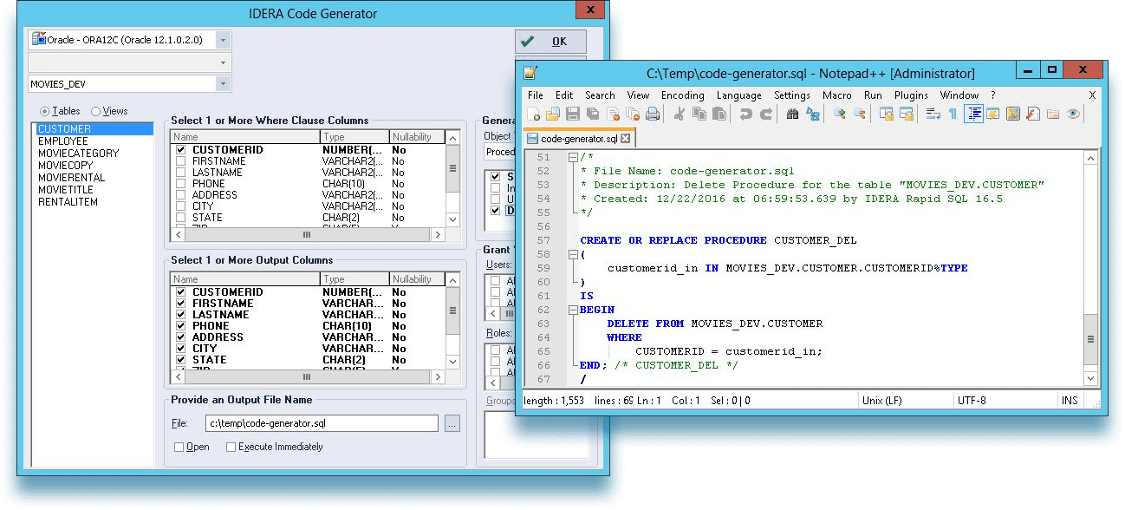
SQL Toolbox is IDERA’s smaller bundle, bringing together SQL Admin Toolset, SQL Safe Backup, and SQL Doctor. It focuses on diagnostics, maintenance, and recovery rather than full database management. For SQL developers, SQL Doctor is the most relevant component, helping identify slow queries and indexing issues.
Features
- SQL Doctor tuning advice aimed at problem queries and indexes.
- Twenty-four admin utilities covering inventory, health checks, and more.
- SQL Safe Backup with flexible recovery options.
- Server discovery and inventory tracking.
Pros
- An inexpensive way into IDERA’s tooling.
- SQL Doctor turns around practical tuning suggestions quickly.
- Bundling saves roughly 45% over separate licenses.
Cons
- No development, comparison, or CI/CD features.
- No always-on monitoring dashboard.
- Duplicates several things SSMS already does.
Pricing: Paid subscriptions start at $198.00 per user per year.
Compatibility: Windows.
How to choose the best SQL development tool for complex queries
The best SQL development tool depends on query complexity, SSMS usage, team role, release process, performance requirements, and budget. Filter in this order and the shortlist narrows fast.
Select SQL development workflow
Begin with your daily workflow. All of these are great for long T-SQL scripts: IntelliSense, formatting, snippets, object search. Teams that manage database releases should also look at source control, schema comparison, testing and deployment automation.
Integration by SSMS select
If your team is already using SSMS, then tools that extend SSMS can often be easier to adopt than stand-alone IDEs. Tools such as dbForge SQL Complete and Redgate SQL Prompt augment the existing workflow and do not require developers to change their environment.
Compare features for reviewing and debugging queries
More than a good editor is needed for complex SQL. Look for execution plans, dependency analysis, debugging and performance diagnostics to find issues before deployment.
Schema comparison and change management evaluation
Schema and data comparison tools allow you to synchronize database changes, generate deployment scripts, and reduce manual errors across environments.
Support review testing and test data
Realistic testing is necessary for reliable SQL development. Such features, like SQL unit testing and test data generation, can help validate edge cases. However, 71% of organizations still generate test data manually, according to Redgate research.
Evaluate DevOps and automation capabilities
If your team releases database changes frequently, look for tools with source control, command-line automation, CI/CD integration and deployment validation.
Compare prices and value over time
SSMS is fine for basic development. When productivity features like intelligent coding, schema comparison, testing, and automation save enough time to justify the license cost, then paid tools are worth it.
Conclusion
Every option on this SQL development tools list deserves a place; match yours to the use case. For just writing and running T-SQL, SSMS is still the go to free, reliable environment. Teams looking for faster coding, schema comparison, testing and deployment automation will benefit from a more comprehensive toolkit, while organizations with mature DevOps processes ought to focus on tools with strong CI/CD integration. If you are also a database administrator, then you might want to check out IDERA’s solutions.
For teams that spend most of their day in SSMS, dbForge SQL Tools offers one of the easiest upgrades. It extends the familiar SQL Server environment with intelligent code completion, schema comparison, testing, and automation without requiring developers to learn a new IDE.
Download the free 30-day trial and see how much time you can save on your next SQL development project.
FAQ
What are SQL development tools?
SQL development tools are applications for writing, reviewing, testing, and deploying database code: T-SQL editing, execution plan analysis, schema and data comparison, source control, and automation. They range from free SSMS to commercial toolkits like dbForge SQL Tools.
Is SSMS enough for complex query development?
For query writing and execution plan review, often yes. It falls short on refactoring, reusable snippets, schema comparison, unit testing, and CI/CD automation, where commercial add-ins take over.
What is the difference between SSMS and dbForge SQL Tools?
SSMS is the free base environment. dbForge SQL Tools adds 15 development, comparison, testing, documentation, and automation tools on top, so you keep the SSMS workflow and gain a full development cycle.
Which SQL tools are best for T-SQL development?
dbForge SQL Complete and Redgate SQL Prompt lead the best SQL tools for T-SQL completion, formatting, and refactoring inside SSMS. dbForge bundles more of the surrounding cycle per dollar; SQL Prompt has the longest track record.
Are paid SQL development tools worth it?
When complex queries back production systems, yes: one prevented bad deployment typically covers a year of licensing. For occasional query work, free SSMS is enough.